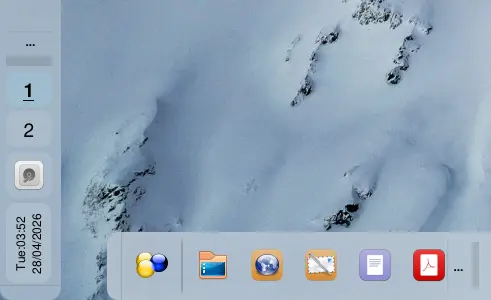
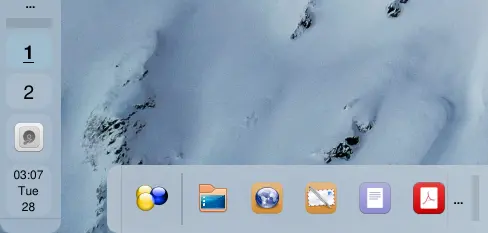
Some of you may already know this but for those who don’t, here is something for you. As you may know, some desktops have issues displaying their clock applets properly when the panel is rotated vertically. The font is either tiny to the extent of being unreadable because they try to fit the entire clock content horizontally into the narrow area of the panel or they’ll display the time without the name of the day and the day of the month.
But Orbitiny takes a different approach. As a developer, I always think outside the box in a non-conventional way. That’s my nature. It’s how I am with everything. This is why there are unique features in Orbitiny that other desktops don’t have.
So, when you rotate the panel vertically, I take that literally 😄 and I also rotate the clock so that it is displayed, well, vertically. That way, all of the text fits just fine. That’s actually a special widget that I designed in Qt just for that purpose – displaying the widgets vertically (where it makes sense).
There is also an option to display it like other desktops have with one modification. I display the time, and under it I add the name of the day as well as the day of the month and I leave out the rest because it is not needed.
See the screenshots below: