
Well, the long anticipated Orbitiny Desktop Pilot X has finally been released. Orbitiny Desktop is a new, 100% portable, innovative and traditional desktop environment for Linux + X11 (with potential Wayland support in the future). It is developed in C++ and Qt.
This is the biggest, most difficult and substantial update ever released to date and it features a brand new dynamic theming system along with many new features and many, many bug fixes.
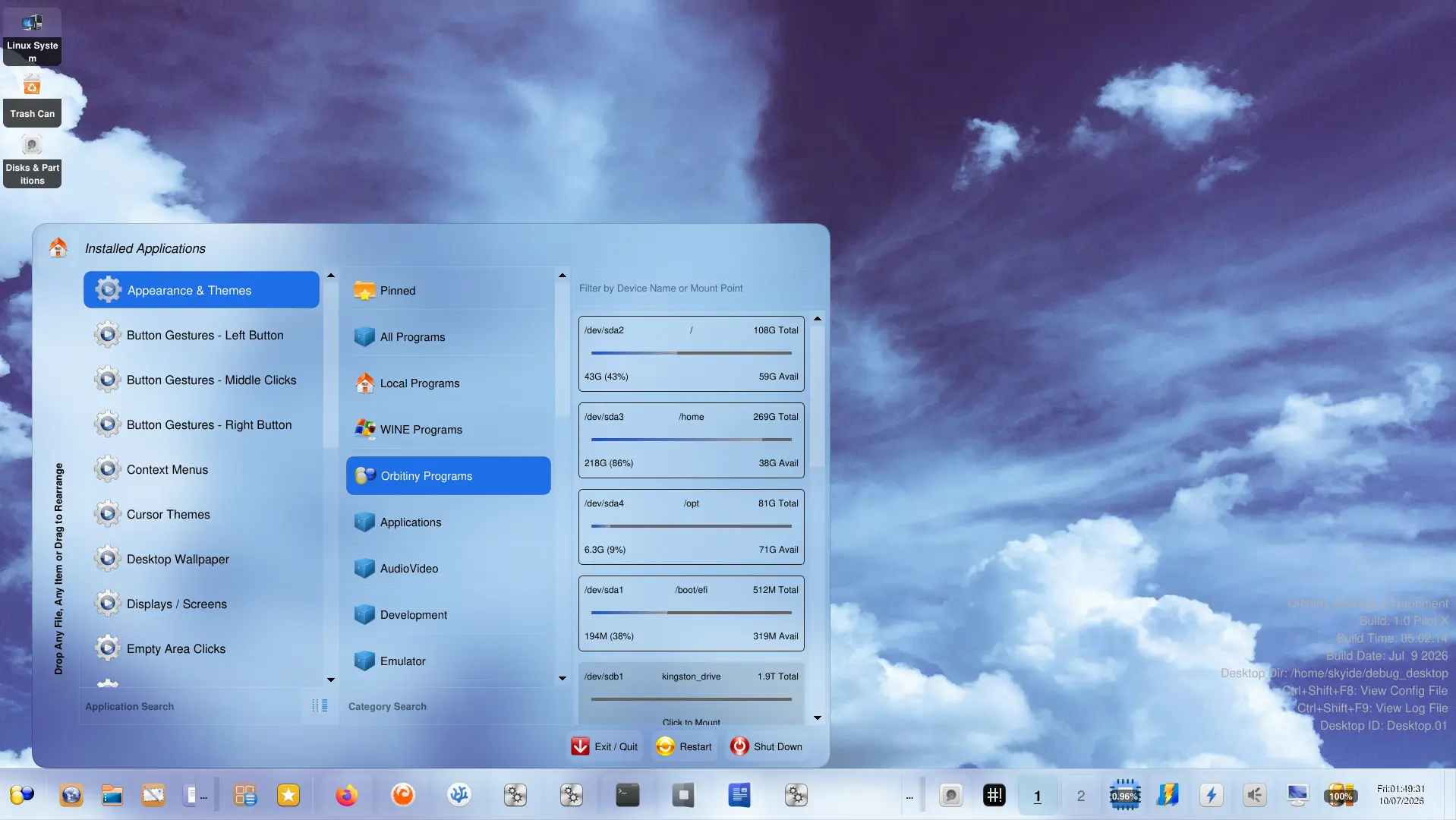
People that have been checking Orbitiny’s website as well as the Orbitiny’s subreddit are well aware of what I’ve been working on as I have continuously been posting updates over the several months and there are simply no words to describe the sheer amount of work I have spent working on this project especially the last three months and all the problems I went through. I have literally replaced the entire foundation of the project for nearly every component part of the project.
This spans the entire source tree even code dating back to 2017 when I started with a blank window. I had to redesign everything and that lead to breaking other perfectly working components and I had to fix them and I think I covered them all. That’s why it’s been taking me so long to release this version. Due to the vast amount of changes I had to do, the old configurations and themes are no longer compatible.
Anyway, enough talk, let’s get to the important stuff – the change log.
New Features
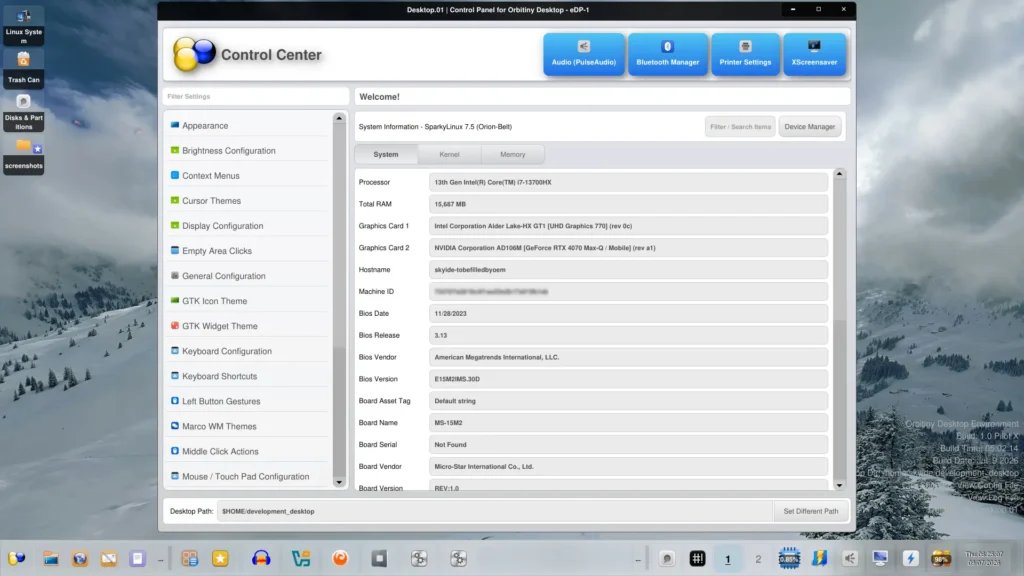
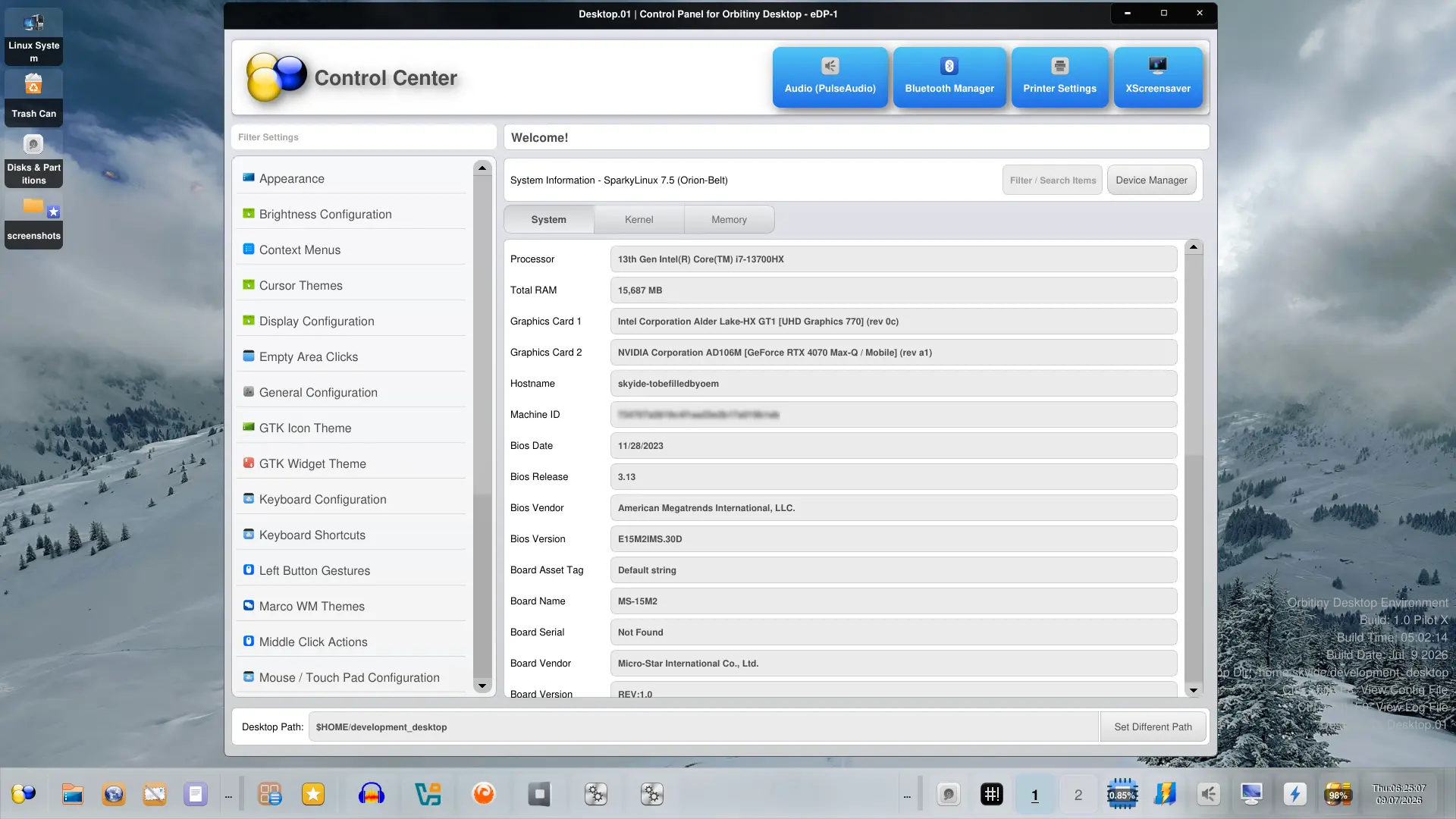
- New: A brand new Control Panel has been implemented with an integrated sidebar and a comprehensive System Information tool as shown on the screenshot below. Clicking on the sidebar items launches Orbitiny’s own configurations tools. Clicking the buttons along the top-right header launches external configurations tools that come with your Linux distribution. These buttons are customizable. You can add or remove buttons by editing the control panel’s configuration file. Also, the screenshot below demonstrates the new light theme.
- New: Panel docking – Now you can dock the panel to any area of the screen by grabbing an empty area and then dragging the panel to a screen edge. There is no “Edit Mode”, it works directly like docking a toolbar in an office application. The panel can be resized by grabbing the panel’s border/edge and then dragging the pointer (no edit, it works directly) once the cursor changes shape.

- New: Panel docking again – You can also dock the panel by pressing and holding on an applet while the CTRL key is down and then dragging the panel to a screen edge as stated above.
- New: Panel: Implemented panel scrolling. You can now scroll the content with the wheel button. It will only not scroll the panel when you hover over applets that capture the wheel event (because some applets use it to scroll their content) so that they can scroll their content instead when the wheel button is moved up or down. Once the pointer is moved over a non-scrollable applet and you wheel up or down, then it will scroll the panel content.
- New: X11 Window Buttons: Added a side button next to the windows list panel applet which brings up a searchable list of running windows. Clicking on it performs the same action as clicking on the icon button.

- New: X11 Window Buttons: Also introduced scrolling to the X11 Window Buttons applet. When there are two many windows open, use the wheel button to scroll the icons representing the buttons.
- New: Quick Launch Applet: Completely new Quick Launch applet menu when the “…” button is clicked which is the button at the edge of the applet (next to the applet’s resize handle). This is now a replica of the Drawer Menu. This gives you a proper Drag&Drop ability to rearrange items.


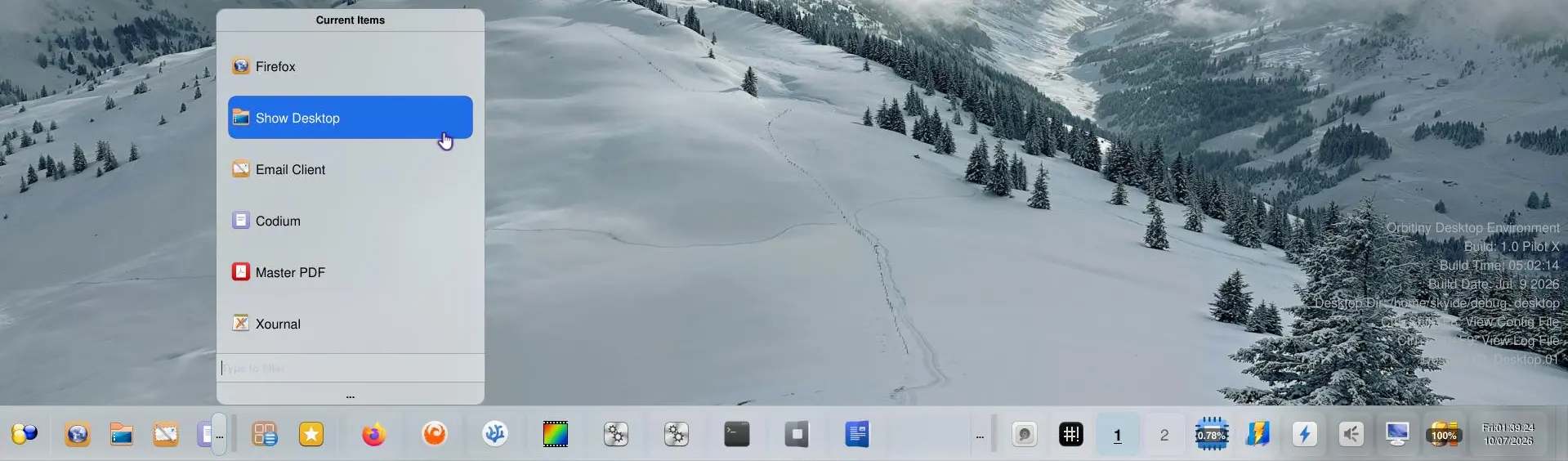
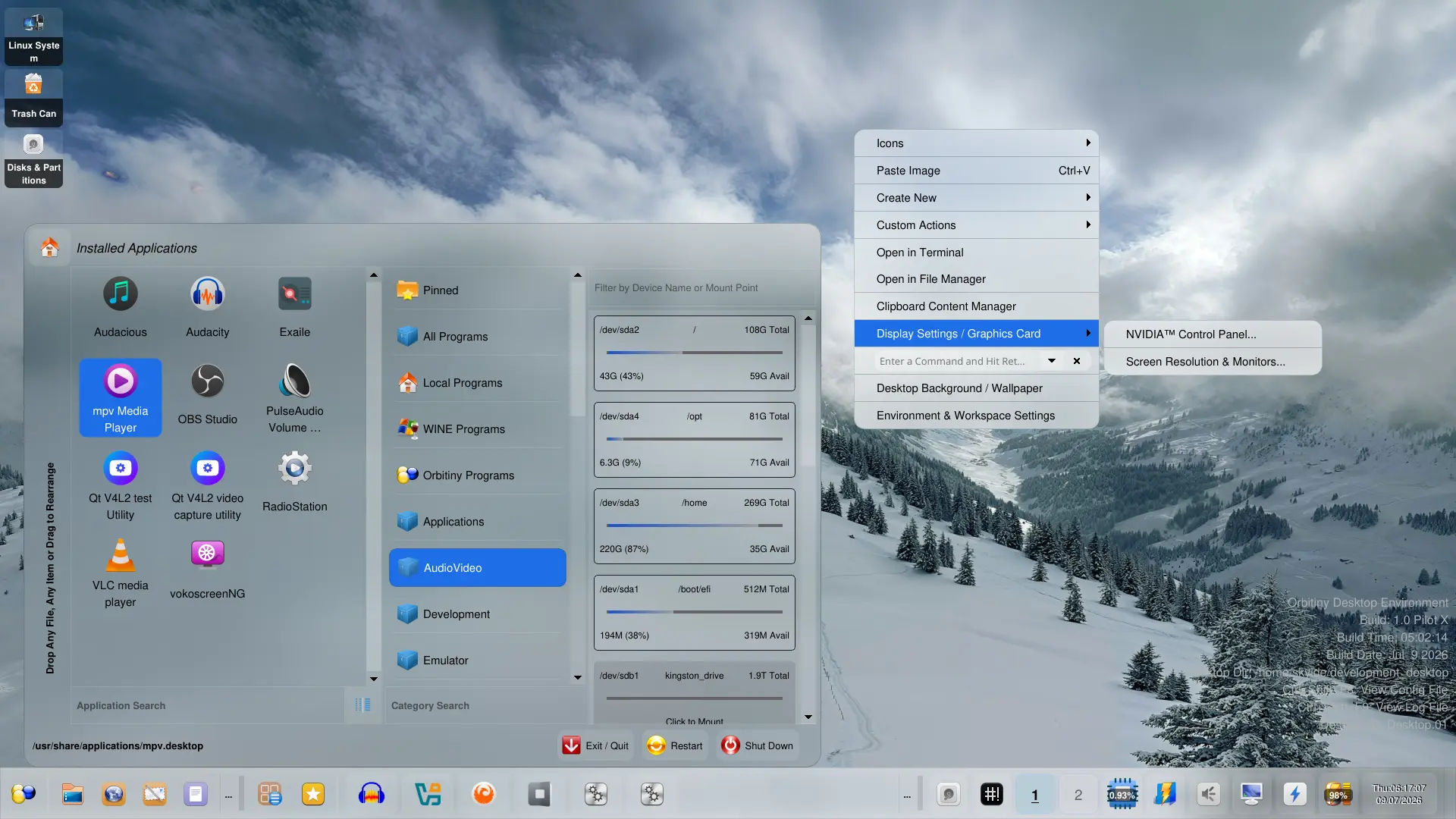
- New: Applications Menu: A new category has been added called “Orbitiny Programs” – clicking on it gives you access to the Orbitiny control panel applets but they will run in their own window instead like a traditional application (because that’s what they are).
- New: Applications Menu: Another new category has been added “Local Programs” to the Applications Menu. This lists desktop files installed in $HOME/.local/share/applications. This has been here all the time but it’s hidden unless you hold the CTRL key when clicking the Applications Menu’s button (Orbitiny logo) – see the screenshot above.
- New: Qutiny now applies themes in real-time. This means the moment you edit + save any of the CSS files in the theme directory, the changes are reflected/applied immediately. This means it no longer requires a restart.
- New: Qutiny File Browser – The tabs have been relocated to the top of the screen and the icon size slider to the bottom left corner.
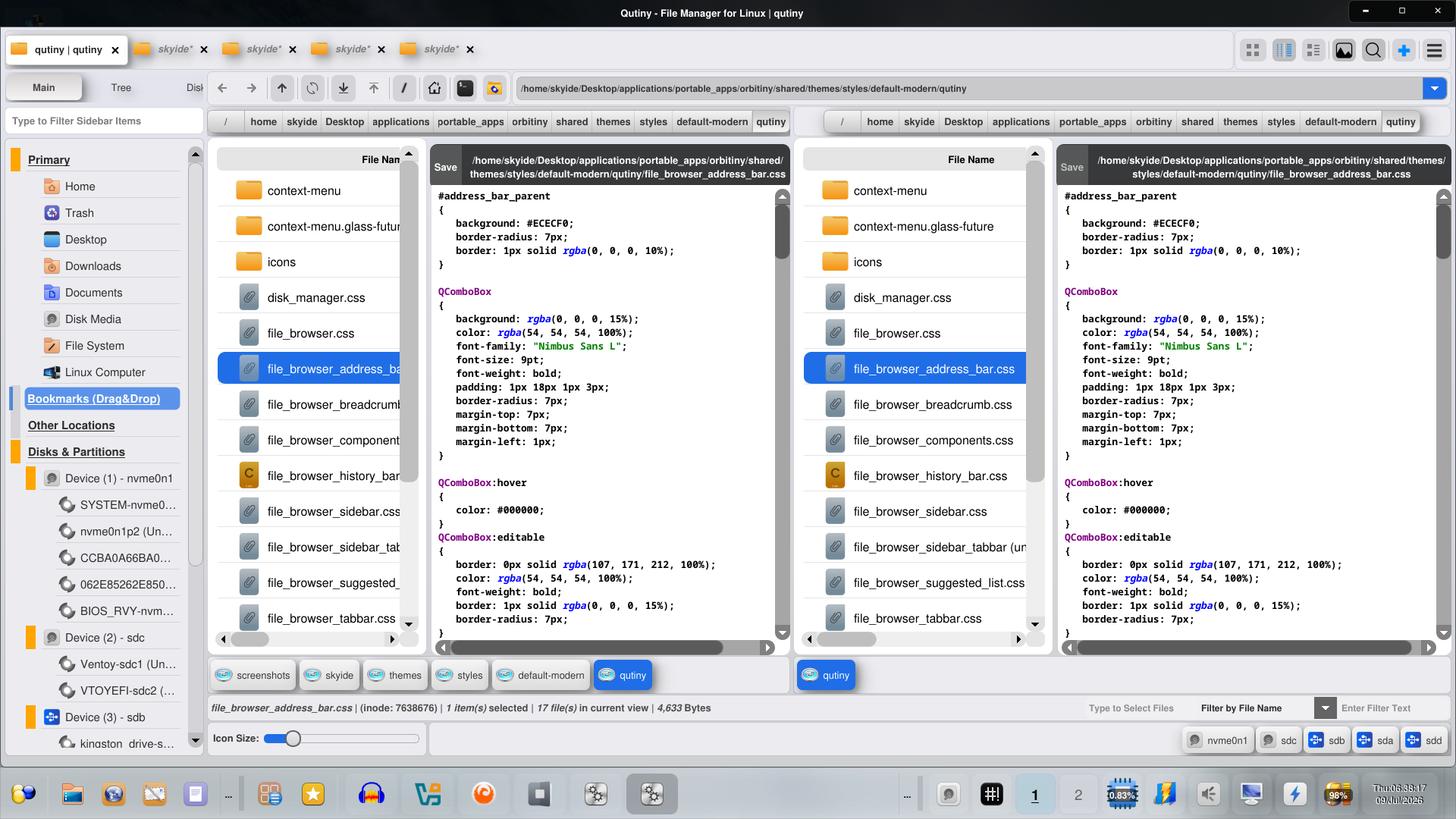
- New: Qutiny File Browser – The file search section components have been lined up into a single row rather than 3 separate rows. So now there is “File Search”, “Content Search” and the third one which is used to search for an additional word on the same line if the content is found.
- New: Run Command: Converted the “Run Command” address bar applet into a button-like applet.
- New: CPU load Monitor: Converted the CPU load monitor into a button-like applet.
- New: SysTray: Improved the appearance of the SysTray applet – both in icon mode and integrated mode.
- New: Panel: Completely redid the code that creates panel struts (reserved area on the screen for the panel) and with that eliminating some old bugs and moved the code in charge into an API.
- New: Desktop: When you dock the panel to the edge of a screen, the desktop icons get pushed down, or up or to the left or to the right depending on where the panel is docked and this means the panel no longer covers the icons.
Bug Fixes
- BugFix: Orbitiny’s File Manager (Qutiny): Fixed icon emblems (cut, copy, symlink etc) not being positioned properly.
- BugFix: A bug with the “Paste Image” function in the context menus. It worked intermittently after moving it to a separate thread.
- BugFix: Fixed a Drag&Drop issue in the Application Menu when pinning desktop files to the sidebar. Due to a coding error, it was failing to assign a desktop icon to the item being pinned. That is fixed.
- BugFix: Fixed an unintentional panel docking to the sides of the screen when you clicked a panel handle or the button on the right-hand edge of the panel.
- BugFix: Again related to the panel, fixed an intermittent panel crashing bug when you try to dock the panel with the panel handle to a screen edge.
- BugFix: Fixed a massive performance hogging bug with the CPU load monitor.
- BugFix: Fixed an issue with the Home button in the Applications Menu, Clicking on it was launching your home directory in the file manager determined by “xdg-open” rather than the one set by Orbitiny.
- BugFix: Fixed spiltter issues in the application menu and file manager. There was an annoying bug that caused the widgets on the left side of the splitter to resize when the parent window size changed. In the file manager, this means resizing the file manager horizontally would cause the file manager’s sidebar to also resize. Likewise, maximizing and restoring the file manager’s window would also trigger the same issue. In the Application Menu, resizing the third pane made the first panel (left most panel) to also resize. It is all fixed.
- BugFix: Orbitiny’s File Manager (Qutiny): An Issue with the File Search – An intermittent issue where the user is unable to cancel an existing search operation or file browser crashing when clicking the tab’s close button.
- BugFix: Orbitiny’s File Manager (Qutiny): When pressing the “Delete” button on your keyboard, it would try to move the selected file(s) to the Trash even when files are not part of your home directory. This lead to a spam of message being shown on the screen advising you that the file cannot be moved to the trash and if you want to delete it instead. It’s not a problem if you have like 2-3 files selected but it is a problem if you have like 100 files selected (you’d get 100 message box prompts),
- BugFix: Orbitiny’s File Manager (Qutiny): – intermittently losing its settings when launched caused by a race condition like error where multiple code sections were trying to update settings.ini at the same (or few milliseconds apart) time.
- BugFix: Orbitiny’s File Manager (Qutiny): – When you have a selection of large amount of files and you select “Delete”, there was a delay from the moment you pressed Delete and the time you get the “Are you sure…” message prompt.
- BugFix: Orbitiny’s File Manager (Qutiny): Fixed a file deletion bug when a large selection of files are selected – sometimes Qutiny would freeze or crash.
- BugFix: Fixed a long standing issue with the custom context menus. When showing nested sub-popup menus (leading from one popup to another and to another and so on), the ones previously shown were getting hidden and they should not have.
- BugFix: Fixed a SysTray bug when the SysTray is in the form of a button which in this case you need to click the button to show it in a popup window – sometimes this did not work and the only way to fix it is to restart the panel or change its setup so that the application icons it houses line up along the panel. Anyway, I created this button mode to save space on the panel.
- BugFix: Fixed an issue related to desktop icons themes. Setting a new desktop icon background was not working.
- BugFix: Drawer Menu – when rearranging items via Drag&Drop, the commands assigned to items get mixed up.
- BugFix: Quick Launch Applet: Sometimes clicking the side button (the button showing hidden) items would launch the command assigned to the button right next to it.
- BugFix: Fixed middle click command not working in Drawer.
- BugFix: Fixed a crash with renaming panel themes
- BugFix: Bookmarks + Drawer Menu Applets – Fixed Drag&Drop issues that occur only when the menu had scrolled. When so, it was failing to obtain the dragged item’s position index.
- BugFix: Quitny – Fixed a bug with copying empty directories (it wasn’t working).
- BugFix: Quitny – Fixed a bug with “Copy To” function – it was moving files instead.
- BugFix: Many panel bug fixes…The panel is getting better and better with each and every release.
What does the future hold for this project? Well, I need my own compositing window manager which, thus far, I don’t have and developing one will take me a very long time because I am the only one working on the project. To speed things up, my plan is to potentially port KWin and make it play along with Orbitiny.
Moreover, I intend to make it portable so that you won’t have to install it in order to use it with Orbitiny. The way will work is like this. If you launch Orbitiny Desktop in portable mode, KWin will not launch. Instead, Orbitiny Desktop will make use of the existing window manager (like it does already).
However, if you launch Orbitiny Desktop as a standalone desktop, one that you select from the Display Manger menu, then, KWin will launch because it needs a window manager.
I have had partial success with this (it almost works) so if you are a Qt developer and want to give me a hand with this (which I need btw), then message me and I will let you know how you can help. If not, I will do what I can and regrading a time frame, it will take as long as it will…
I will also be doing some testing with RiverWM. Based on its description, it appears like it acts a bit like X11 so if I am to port Orbitiny Desktop to a Wayland compositor, it will be RiverWM. I will need help with this one too. If I don’t get any assistance at all, then, I will stick with X11 only.
It is just too much work to handle all this entire project on own if I am to support Wayland too. I am sorry, but it is what it is.
I can manage the X11 portion on my own, not a problem but working on Wayland adds an extra burden on my back.
Anyway, regardless the outcome, Orbitiny’s playground is and always will be X11 and support for Wayland (if I ever get it to work) will be complementary only.
Website: https://orbitiny.com/
Source Code: https://gitea.com/sasko.usinov/orbitiny-desktop (PIlot X code will be available within 24 hours of this post)
Download: https://sourceforge.net/projects/orbitiny-desktop/
Reddit: https://www.reddit.com/r/Orbitiny/
YouTube: https://www.youtube.com/@Orbitiny-Linux (Note, I haven’t uploaded any new videos so the videos as at July 10, 2026 are old).
Well, I hope I’ve covered it all and should you find something not working, please let me know.
Thanks
Excited to see the release, congrats!
I personally think Linux has enough Wayland DEs, but a real lack of X11/Xlibre ones. I think Wayland support will just be a time sink with little to show for it (see XFCE for an example of that). Regardless, plan to install this on my PC over the coming days, thanks for all the work you’ve done.
Thanks, I agree with you 100% and I am glad quite a few people have mentioned this to me.
P.S. I don’t like Wayland 🙂