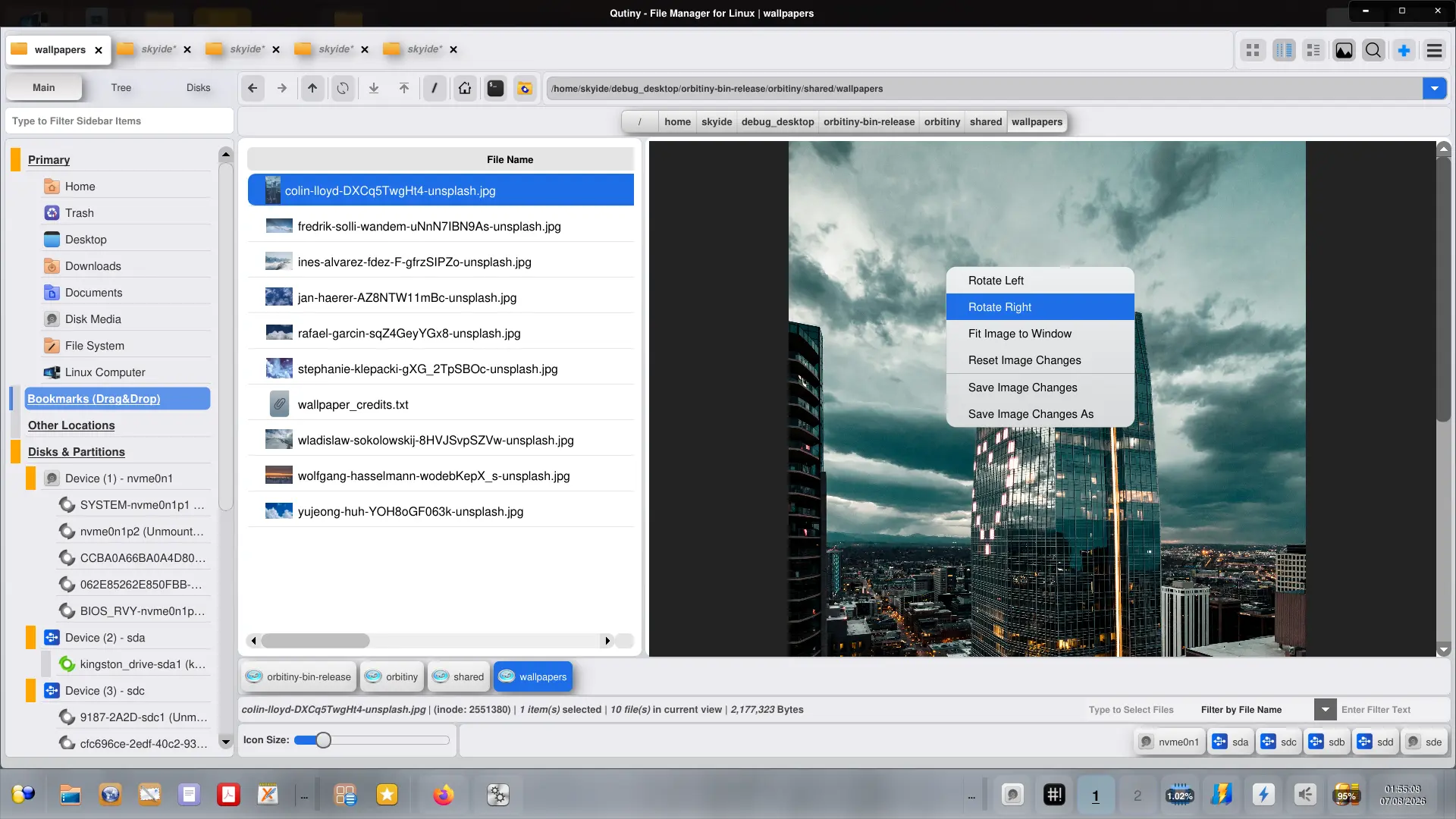
Another maintenance release is out, Orbitiny Desktop Pilot X Release 5B and the focal point in this release is the built-in image viewer. Up until now, image previews were static and that really annoyed me. Not anymore, I’ve scrapped the old code and replaced it with something that I had been working in the past but I never made use of it until now so I upgraded the built-in image previewer and turned it into a dynamic image viewer.
1.0 Pilot X (R5B) – Release Notes:
- New: Qutiny – Converted the basic image preview on the right hand side into an image viewer and added the following functions:
- Zoom In and Zoom Out via the wheel button
- Rotate Left
- Rotate Right
- Fit Image to Window
- Reset Image Changes
- Save and Save As functions
- Alpha Transparency Support
There is no toolbar. To zoom in and out of an image, use the wheel button. To access the rest of the functions, right click the image.
Now that I have a basic (but useful) text editor and an image viewer, eventually, I will spin them off into their own applications. About the text editor, I have one very innovative idea which I am sure you are going to like and find it very useful. I don’t recall seeing it in any source code editor (and I have tried almost all of them).
So this is how I have been building Orbitiny Desktop over the years, bit by bit, feature by feature and all of a sudden when I reached a useful point, I made an announcement.
Anyway, more on the new feature at a later time and that’s it for this maintenance release.