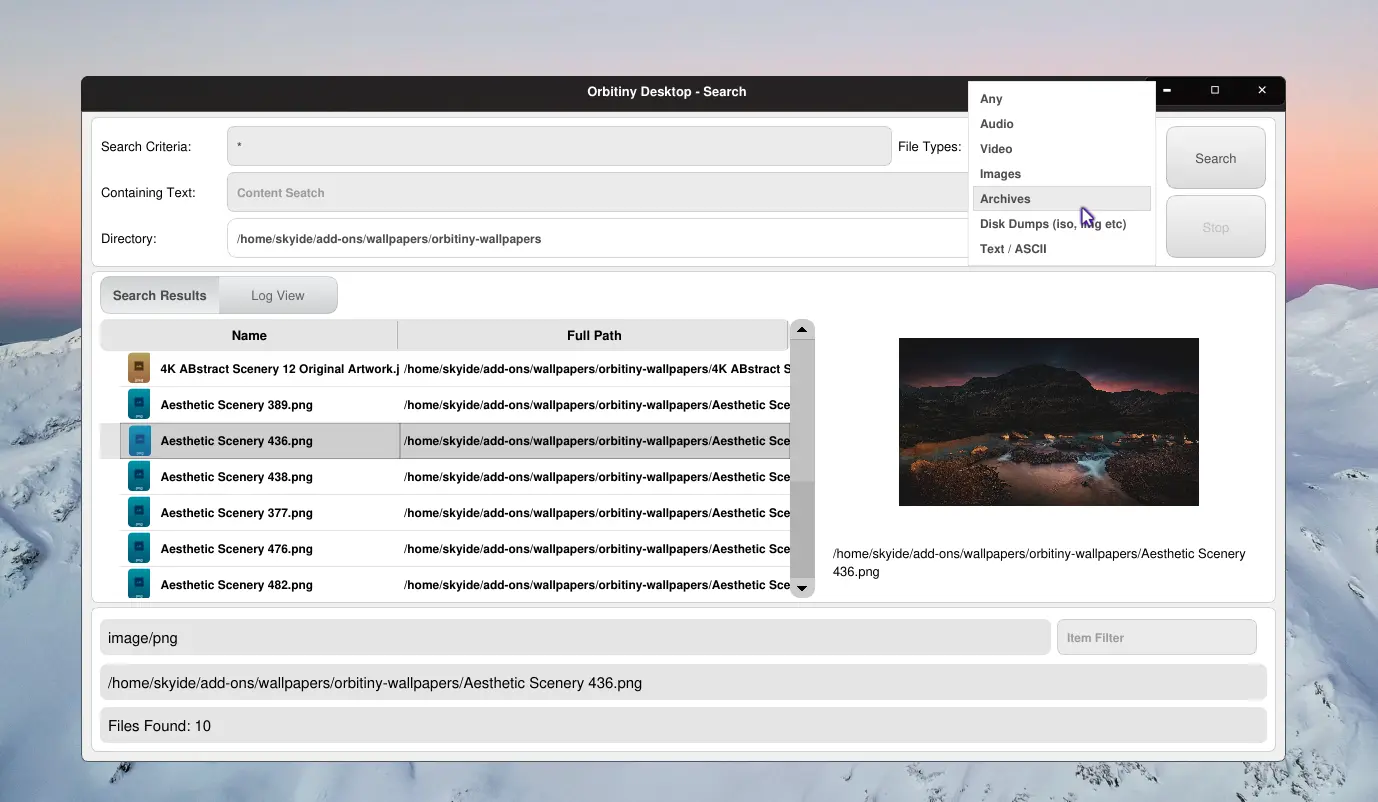
In my previous post I mentioned that I have two more utilities to reprocess and that’s the Orbitiny Search and Device Manager. While incorporating the new dynamic theming system into Orbitiny’s search tool, I added some new features too. Now you can filter search results + you can search by file type. In the top right corner you can select: “Any“, “Audio“, “Video“, “Images“, “Archives“, “Disk Dumps” and “ASCII Files”.
Selecting any of those options will search for those file types only. It does not search by file extensions. Instead, it runs a mime type check against each search result and if the mime type matches the one selected in the drop down box, it will display it, else it will disregard it and not show it. So, it can’t be tricked by renaming an .mp3 file to something else, say .txt or if you remove the file extension completely.
The down side of this is that it is slower to search but the up side is that it is more reliable. If you don’t care about file type, just set the selection to “Any” (default).
At the bottom right corner there is a “filter” input field. That works like you’d expect. You’ve already used it in Qutiny.
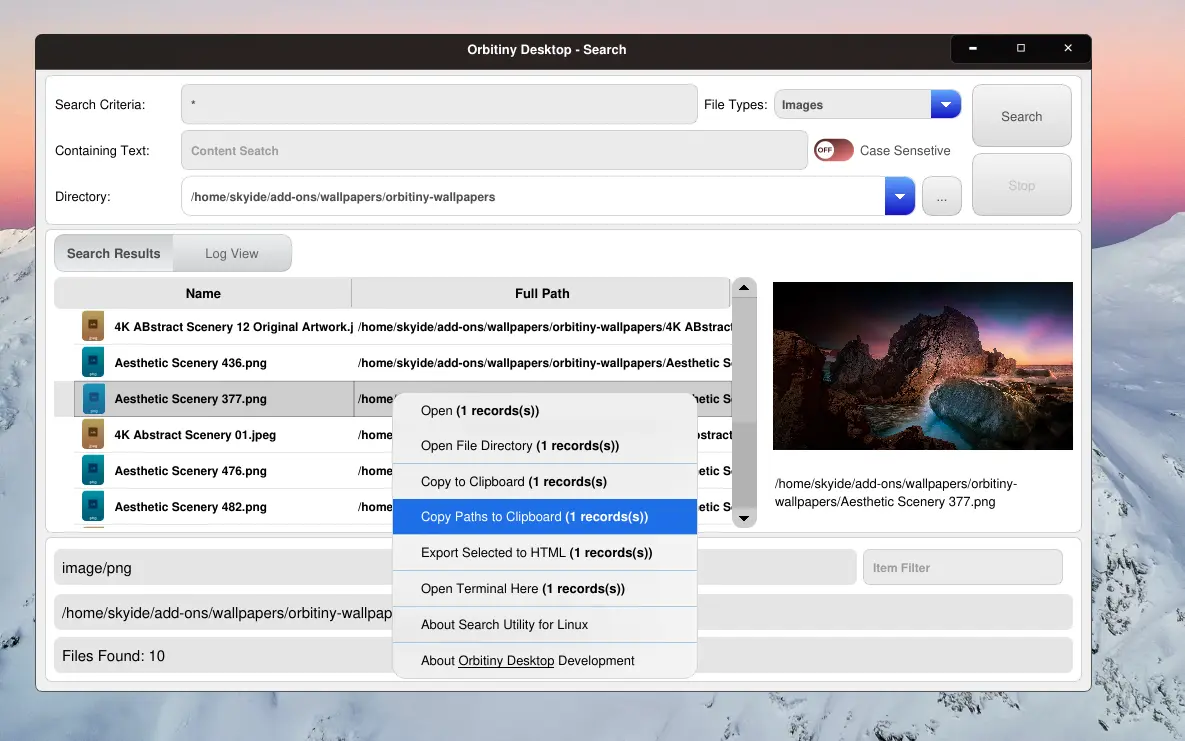
Also, you can see the the popup menus utilize the new frosted glass / acrylic theme that I’ve been talking about for several weeks now. This theme is a real challenge.
Anyway, the screenshots below show how the search utility looks when using the new dynamic light theme. Since it is dynamic, it can be changed to Glass Future too and other ones that will come in the future but I like this light version better.
I will be adding more features to the search tool once Pilot 11 is released.