
I’ve replaced the address bar plugin for the panel with a run button / plugin. The old plugin is still available in case I get complains and users want it back. The new one is actually a brand new and modern plugin but functions exactly the same nonetheless and in my opinion, it’s even more convenient to use and yet you get the same amount of clicks (one click) to get to it if you want to enter a command so to the end user, there is absolutely no loss in productivity.
There are two reasons about why I made this decision. The first reason is because when the panel is in vertical mode, the plugin is useless + it takes too much real estate on the panel.
Here is a screenshot of it being in horizontal mode. Take a look (the address bar on the panel):

You get a bar expanded across the panel but in vertical mode, it takes way more space when expanded vertically. Anyway, in order to use it, you need to click on it to focus the input field or to select a button. You may as well have a “Run” button instead (which also needs to be clicked to get to the input field for the command to be entered).
So, what did I do to work around this?
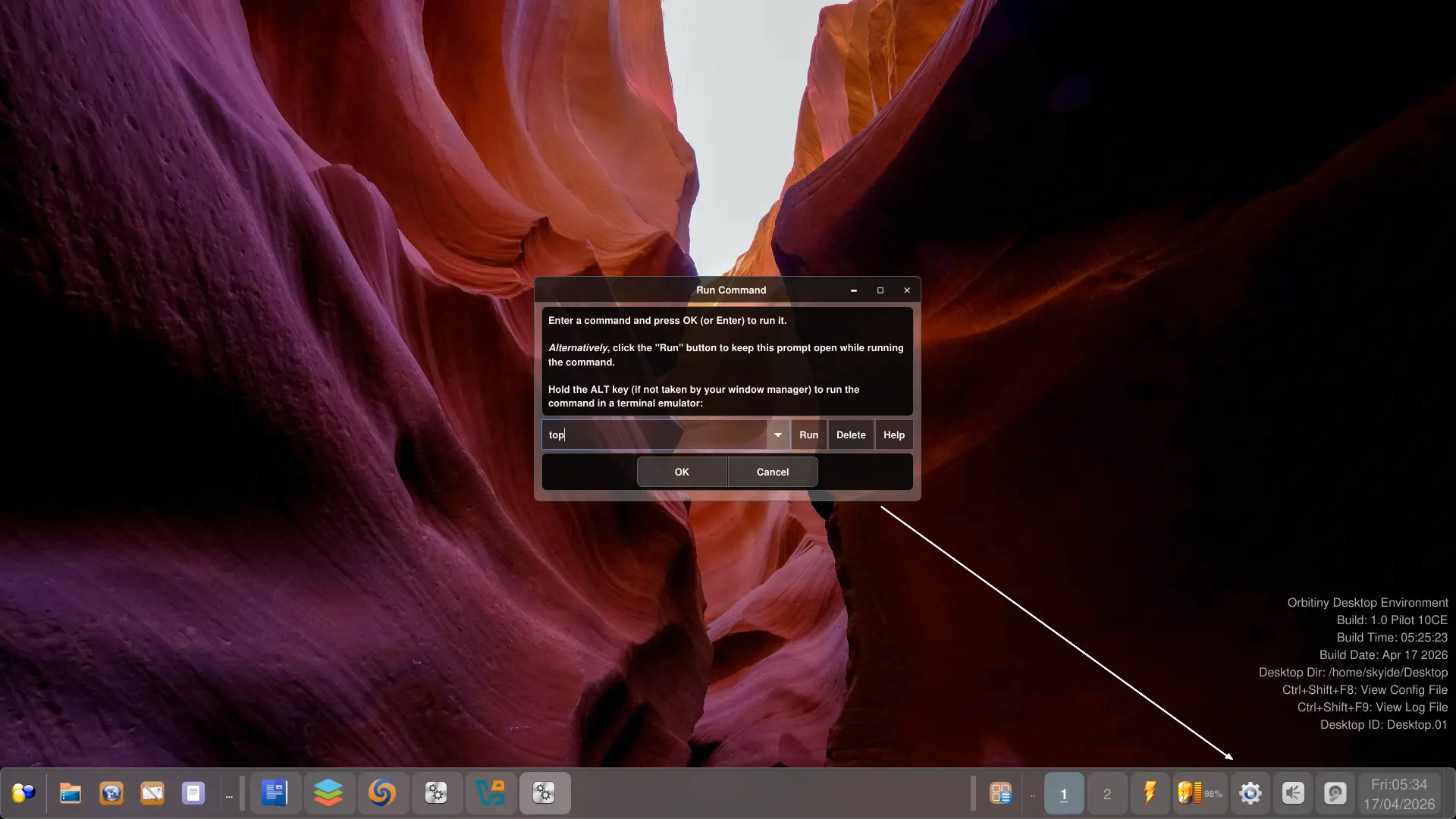
Introducing, the new Command Runner plugin, now called “Run Button“, see below.
When clicked (I could use a better default icon I know, I will fix that), you get this nicely themed Run dialog. This way, you can preserve the rest of the space on the panel for the window buttons.
This means, regardless whether you click on the address bar, or the button, you still do the same amounts of clicks which is “one click”, to get to the section that allows you to enter a command.
Take a look at the new version. You click the button and you get the dialog. Press Enter, the dialog goes away.
I hope you agree with me but if you don’t, speak up.
Anyway, Pilot 11 is very close, I am not done yet but the most difficult parts have been completed.
More updates are on the way.