
The final big and time consuming feature has been completed. The panel themes are now 100% dynamic and this means, when the panel is starting, it reads a folder/directory to obtains its CSS.
No compilation required, just plain text/ASCII files.
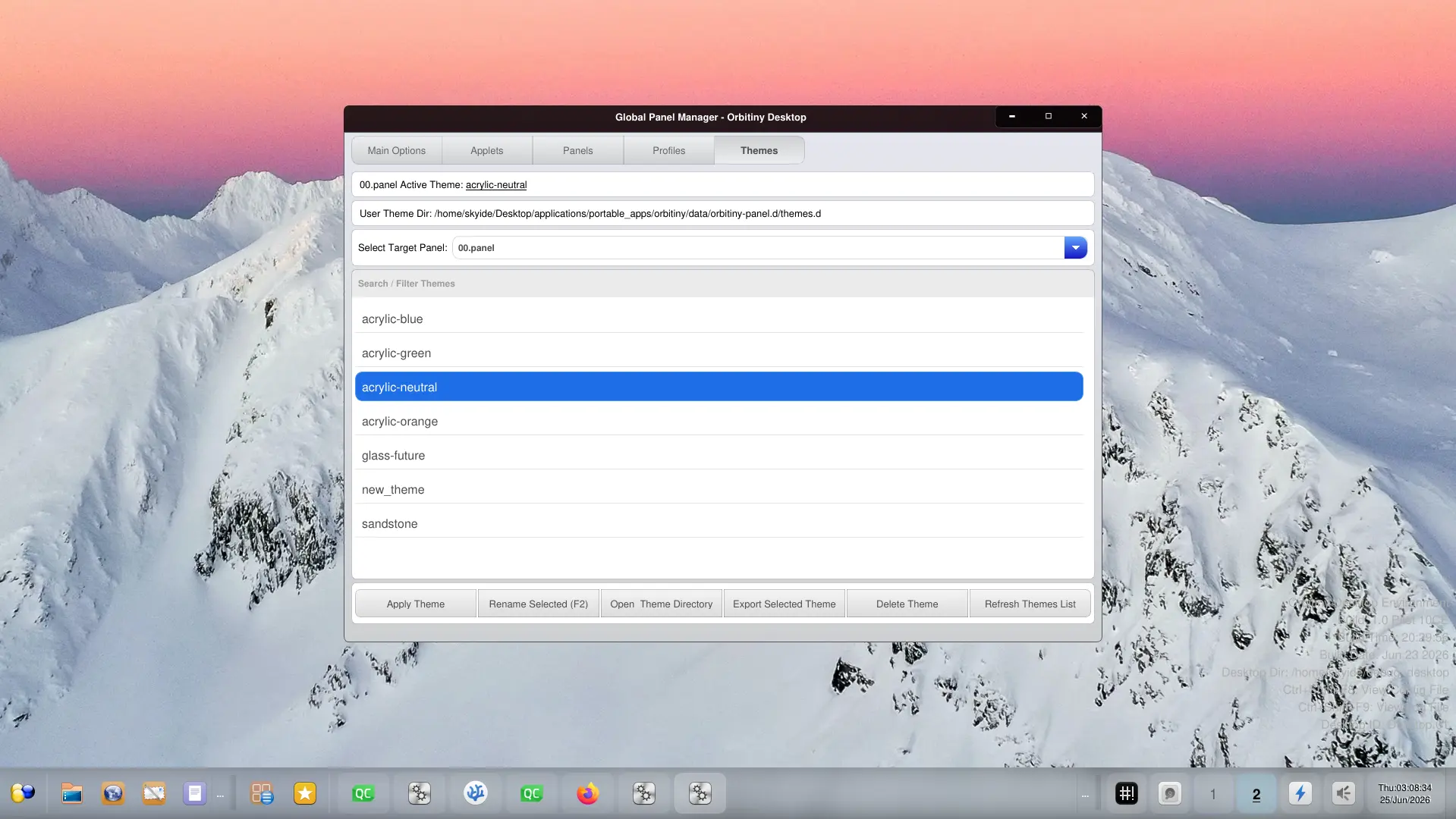
The best thing about this is that the system no longer requires you to have all of the applets loaded to export a theme. Instead, all you need to do to export a theme is just copy/paste the theme folder and that’s it, you now have a new theme and the CSS files are inside that folder for each applet.
Also, as you can see in the screenshot I have removed that annoying message advising you that you’d need to have all of the applets loaded first before exporting the theme. That is no longer required.
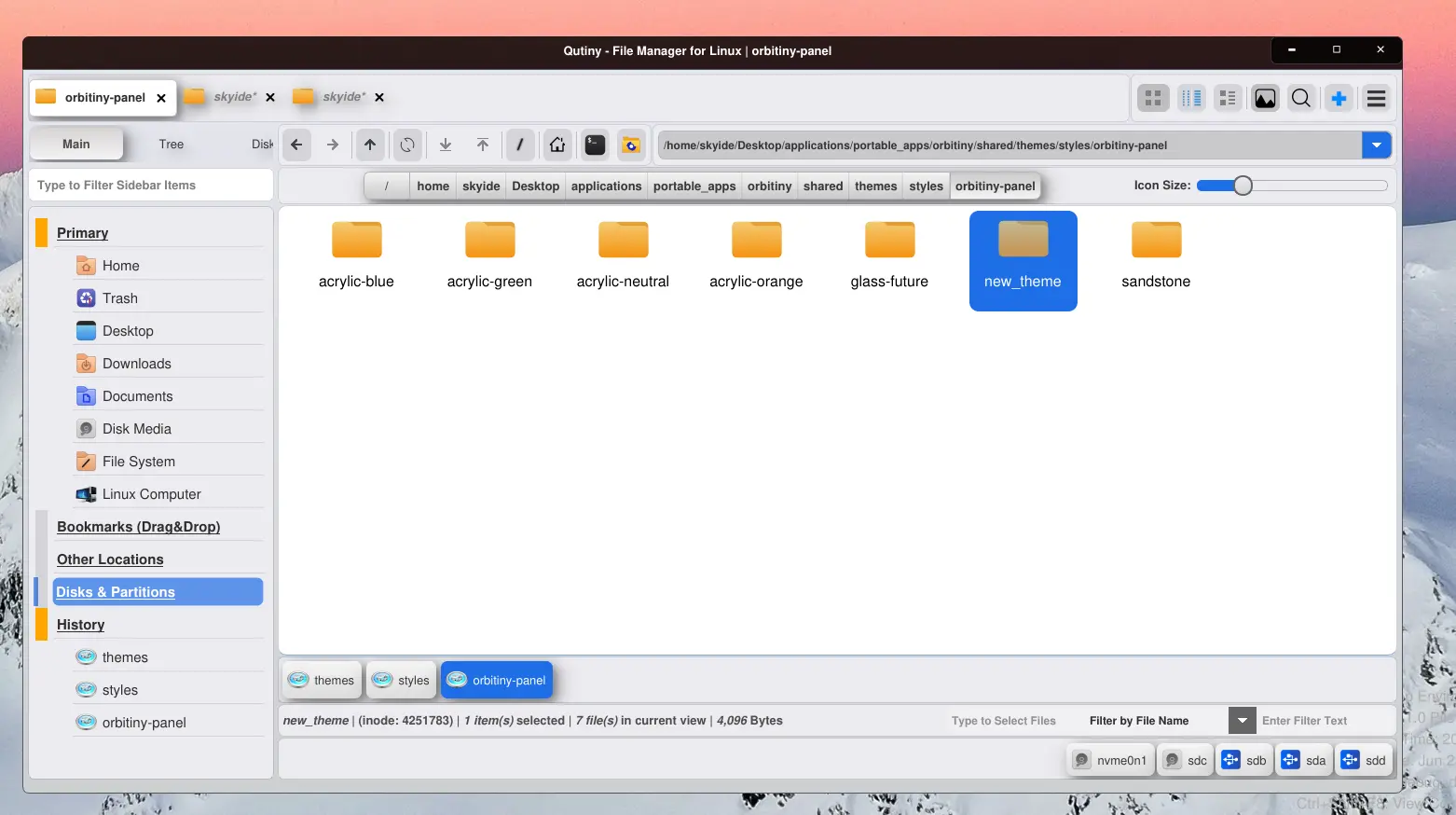
The second screenshot shows you how the theme directory looks.
Anyway, here is something else I’ve been doing.
As you know, Orbitiny doesn’t have its own window manager and writing a fully functional and compositing window manager is a very time consuming task but nonetheless, I need one so that I can specifically customize it for Orbitiny’s use case (this is why I use CSD for Orbitiny’s applications at the moment).
So, rather than writing one (which will take me a very long time), I decided to port one and I’ve been playing around with KWin and trying to make it portable and the good news is, “it almost works”. The idea is when you start Orbitiny as a portable desktop running alongside your existing desktop/window manager, it will not start it, so Orbitiny will continue to play along with the WM and the desktop that’s already running as is the case right now.
But when you have Orbitiny installed as a system wide desktop, that is, when you select Orbitiny from your Display Manager’s menu, it will make full use of KWin because there is nothing else in the background.
Everything will be installed in the directory you choose to install it in (as is the case with the current release) so it won’t make a mess in your /usr/lib/x86_64-linux-gnu or /usr/lib etc…directory.
It won’t be ready for Pilot X or 11 as what I do at the moment is highly experimental and it will take time to get it right. I will provide an update about this when the time is right but right now I am racing forward to finally release Pilot X or Pilot 11 (most likely I will call it Pilot X).
I have several more bugs to fix.
I’m incredibly excited for this to release, as the improvements look amazing! Take your time, I’d rather wait to ensure the experience is the best it can be.
Thanks, I look forward to the upcoming release too and the reason it’s been taking me so long is because there are too many things that I’ve changed which results to breaking other parts that had been working previously but it is all getting fixed. It’s just that it takes a lot of time because I am the only one working on it. Other developers are welcome to assist if they wish, I am not stopping them and if they have questions about how the code works, I am more than happy to explain because reading other people’s code isn’t an easy task and in my opinion, it’s more difficult than writing your own code.