
Don’t you hate when using a file manager or a desktop, and you double click on a runnable file (be it a script, an ELF file etc) and nothing happens? Or does it? Don’t you think that is a little bit…hmm unfriendly? Linux doesn’t have to behave like that.
So, what if I told you that something does happen, it threw an error but you don’t get to see the error because other developers don’t display it. Well, I beg to differ. I just implemented an integrated process launcher.
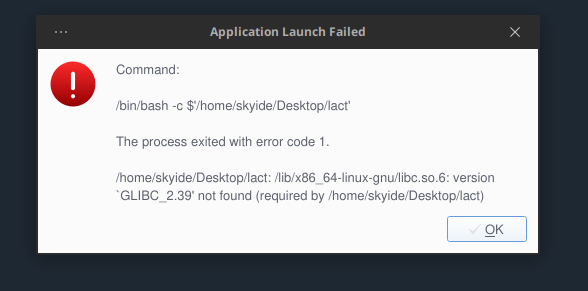
If you double click a runnable file and that file throws an error in the background, now you get to see the error graphically. See the screenshot. You don’t have to use a terminal just to see what the error is! You see something like this on Windows, and yes, I am tweaking Orbitiny to be “just like that”, user friendly including a near identical Windows 7-like popup menus (default theme), silky smooth dockable and resiziable panel, Drag&Drop from and to panel etc.
Anyway, how does the process launcher work? Well, whenever you double click a runnable file, the file path gets routed through the launcher, and the launcher starts the file and waits to see if it will launch properly and if so, it lets go off it but if it does not, you get a nice friendly error message 🙂
This is similar to the ones you get when using Windows when something fails to launch.
By the way, the error message is real, I am on Debian 12 and unfortunately, my GLIBC is rather old.
This behavior will be configurable and you will be able to turn it off.