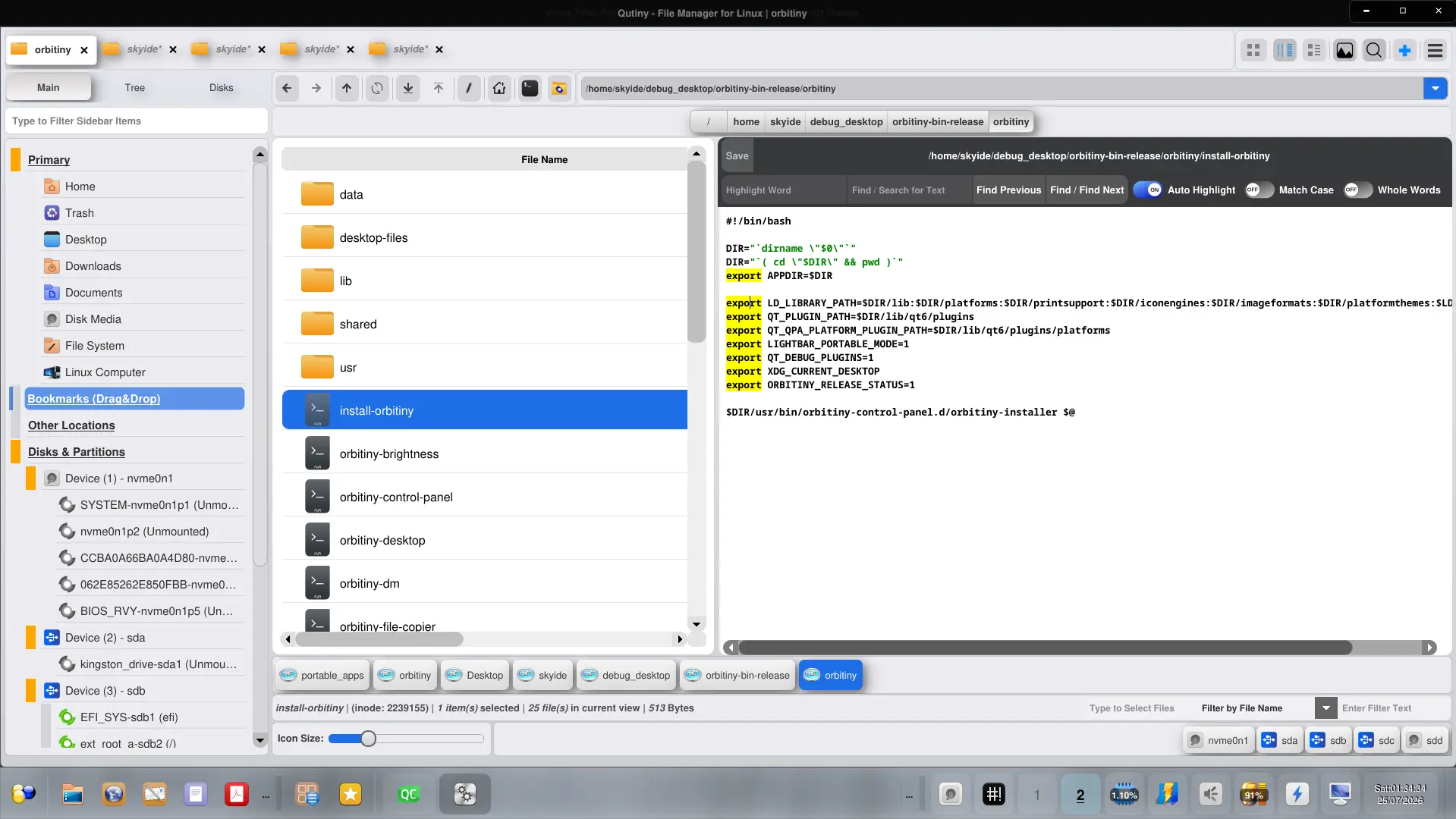
I have implemented something that I’ve planned for ages in Qutiny’s inbuilt text editor (when previewing ASCII files):
- Auto-highlight all occurrences of the word the caret is on (if Auto Highlight is Enabled)
- Type a word and highlight all occurrences
- Search Function: Find Next / Previous
This along comes with a “Match Case” and “Whole Words” options.
About “Auto-highlight all occurrences of the word the caret is on” – this is like what you see in editors like VSCodium, you move the caret (not double-click) over a word and all occurrences of the word get highlighted.
I’ve been planning to implement this for a long time but I’ve been postponing it again and again due to other more important bits but I finally got to doing it and I completed it.
I also plan to add an option to automatically convert tabs into spaces.
I will be releasing another subsequent maintenance release very soon.
A new release is on the way.