
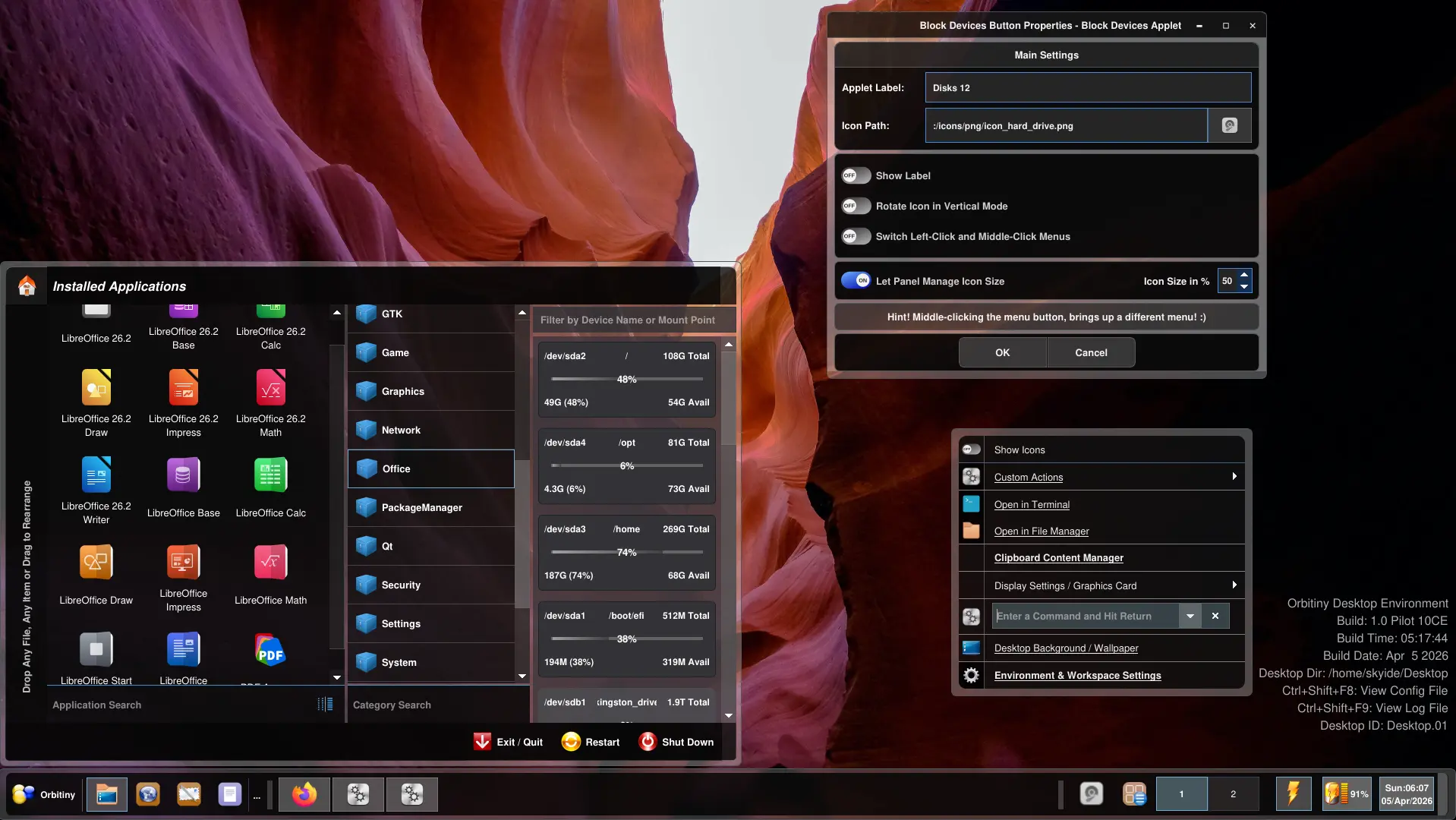
This is another screenshot of the new theme I demonstrated in my previous post but this screenshot shows the theme being applied to the panel + the desktop context menus. I really like the way this looks.
The color tone of the dark/translucent glossy/glassy areas in the content area can easily be changed to any color you want including gradients and you can make the whole thing solid and non-transparent if you wish.
The color tone of the semi-transparent frame surrounding the objects can also be changed as well the rounding radius and not only that, but it’s very easy to do so via the CSS files. You can make it soft translucent electric blue, orange etc.
The button next the Orbitiny logo in the bottom left corner shows what happens when you hover an applet icon.
Still quite a bit of work to do but I have completed about 70% so that’s good. There are several more applications that need a revamp as well as the panel’s vertical mode (that one still isn’t tweaked to the new theme).
Well, I hope you like what you see, I’ve been spending a lot of time on this theme. Like I said, all Orbitiny applications will look the same (depending on the theme) because all of the hard coded parts are being replaced with the new theming system.
Well, here it is 🙂 New and fresh. As always, this may not be the final look, some things may change here and there so this look is subject to change.
As usual, more updates will follow. Also, to people not aware, unlike most other Linux desktops out there, Orbitiny’s panel has full Drag&Drop capabilities. You can drag and drop any file, any folder (directory) to it, from the desktop or a file manager – any modern file manager like Nemo, Nautilus, Dolphin and of course, Orbitiny’s own file manager, Qutiny. It works as it is, no panel Edit mode required. You can also reposition the panel to any side of the screen by dragging its panel handle. You can even drag a URL from your browser to it and I have other ideas in mind but more on that later 🙂